Cut a Rock Scripts
Community loadstrings, feature notes, and the risks before you paste anything.
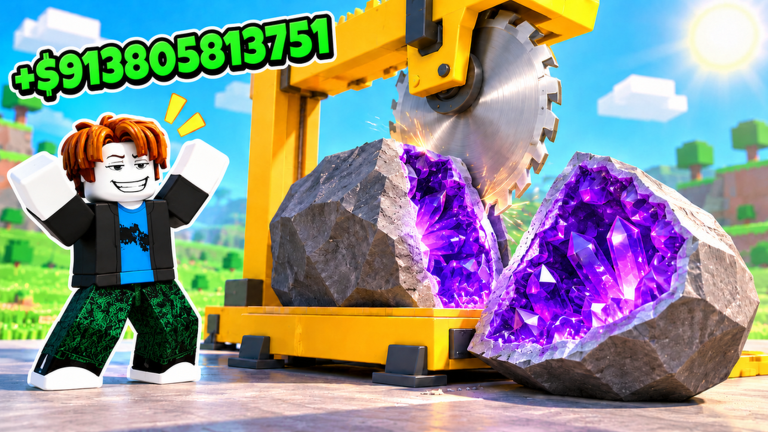
Cut a Rock is an incremental mining loop: train Power on anvils, break floors, collect rocks, cut them at your machine, sell materials, upgrade pickaxes and machines, fill the Index, and unlock auras. Some players automate that loop with Lua loadstrings. This Scripts Hub lists working community scripts, explains common features, walks through executor steps, and states the ban and breakage risks clearly.
Using third-party executors violates Roblox rules. Accounts can be moderated. Prefer supported progress via Codes tickets, daily rewards, and the guides under Guides Hub whenever you can. If you still choose scripts, treat every paste as temporary — Duality Works patches regularly, especially around weather events and NEW UPDATE banners tracked on the Updates Hub.
Working loadstrings (November 2026)
Copy one line at a time into a compatible executor after you are fully loaded into Cut a Rock. If a script fails, try the next. Do not stack five hubs at once.
Script 1 — Gumanba Cut a Rock
loadstring(game:HttpGet("https://raw.githubusercontent.com/gumanba/Scripts/main/CutaRock"))()Focused Cut a Rock build. Expect core farm toggles aimed at the mine, cut, and sell loop.
Script 2 — BAGSC farm suite
loadstring(game:HttpGet("https://raw.githubusercontent.com/Yuda1na/BreakAGem/refs/heads/main/BAGSC"))()Broad auto farm suite often used for cut/collect/sell loops with index and upgrade helpers. Feature sets change between updates; open the GUI and enable only what you need.
Script 3 — Barrage loader
loadstring(game:HttpGet("https://barrage.cc/loader"))()Hub-style loader with auto cut / full farm style options. Useful when you want a single entry point and then toggle modules inside the menu.
Script 4 — Pasteblox raw
loadstring(game:HttpGet("https://pasteblox.com/raw/xg5at4y5qe"))()Lightweight raw paste used by players for quick auto farm sessions. Verify the GUI appears before leaving the executor window.
Script 5 — Passolini hub
loadstring(game:HttpGet("https://passolini.com/hub"))()Multi-game hub that includes Cut a Rock entries. Select the correct experience inside the hub so you do not run an unrelated module.
Common script features
Not every loadstring exposes every toggle. Across the popular builds you will usually see some mix of:
- Auto farm / auto mine — walk or teleport through floors and break surfaces with your current pickaxe multi
- Auto cut — feed rocks into the cutting machine and keep the queue moving
- Auto sell — clear materials for Cash without standing at the sell stand
- Index Farm — target rarity, batch collect, floating progress HUD, and auto-claim completed auras when a build exposes those toggles
- Index helpers — prioritize new materials or filter by rarity while filling the collection book (Index & Auras)
- Auto upgrades — Eyesight, Pocket, cutter levels, machine slots, and sometimes best affordable pickaxe buys
- Teleport / room select — jump between spawn, home, sell stand, and labeled rooms (community GUIs often list Room 0–39 style targets; treat labels as script UI, not official lore)
- Event snipes — rainbow or limited-stone radars that appear during weather windows (Latest Update)
- Anti-AFK / speed — movement helpers that raise report risk in six-player servers
Smart use still matters. Auto buying every pickaxe can empty Cash that should have gone to Eyesight or Pocket first. Read Make Money and the Pickaxe Tier List before you enable spend toggles.
How to run a script safely (relative to other bad ideas)
- Use a private or throwaway account if you experiment — never your main with limited UGC or large Robux balance.
- Install a currently maintained executor that supports
HttpGetloadstrings. Compatibility changes week to week. - Join Cut a Rock, wait until the world and HUD fully load (Ticket icon, daily panel, anvils visible).
- Open the executor, paste one loadstring, execute, and wait for the GUI.
- Enable auto farm modules slowly. Watch one full cut → collect → sell cycle before AFK.
- After any Duality Works update, assume scripts are broken until you retest.
Mobile executors are unreliable for this title. Desktop testing is the only realistic baseline.
Ban risk and ToS reality
Roblox prohibits unauthorized clients and injected scripts. Detection is not guaranteed every session, but bans, locks, and rollback-style punishments happen across the platform. Cut a Rock servers are only six players with no VIP servers, so suspicious movement and impossible clear speeds are more visible to other players who may report.
This wiki documents scripts because players search for them. Documentation is not encouragement. If you care about the account, stick to tickets, dailies, anvil training, and honest upgrades.
Why scripts break after updates
Weather events, shop reprices, new rooms, and Index changes all move remote names and UI hooks. A loadstring that worked yesterday can error on HttpGet, open an empty GUI, or soft-lock your character. When that happens:
- Stop re-executing the same broken line in a loop
- Check whether Duality Works just shipped a banner update (Latest Update)
- Try a different loadstring from this page once, then fall back to manual play
Never download random .exe “executors” from chat links. Stick to known tools you already trust, or do not script at all.
Better progression than blind autofarm
Even script users should understand the economy. Copper Pickaxe at $3K (150x) is the first major cash spike versus Stone (20x). Room boards and Nova Prism 0.1% odds still gate Index progress. Permanent 2x Money / Machine Speed / AFK Speed / Power boosts at 79 Robux each (bundle 249) outperform most mid-tier Robux pickaxe impulse buys. Anvil passes (25x 199, 50x 299, 100x 399, 200x 499, 1396 total) multiply training that scripts cannot fully replace if Power gain is gated.
Use the Tier List Hub to decide which pickaxes and rocks are worth targeting once your farm is stable. Use Codes whenever a ticket spawns — scripts do not remove the five-minute redeem window if you still want those free bursts.
Script session checklist
- One loadstring only; confirm GUI
- Auto sell on, backpack not permanently capped
- Eyesight / Pocket upgrades not skipped forever
- Stop after patch day until retested
- Keep How to Play bookmarked for manual recovery
Play fair when you can. If you automate, automate with eyes open.
Frequently Asked Questions
Quick answers to the most common questions.
Do Cut a Rock scripts still work?
Some loadstrings work after you are fully loaded into the game, but any Duality Works patch can break them. Retest after every update and keep a manual backup plan.
What features do Cut a Rock scripts usually include?
Common toggles are auto farm, auto cut, auto sell, index filters, teleports, and auto upgrades for Eyesight, Pocket, machines, and pickaxes.
Can I get banned for using scripts?
Yes. Injected scripts violate Roblox rules. Use a throwaway account if you experiment, or skip scripts entirely and progress with tickets, dailies, and upgrades.
Which script should I try first?
Start with a single Cut a Rock–specific loadstring, confirm the GUI, and enable farm modules one at a time. If it errors, try the next line on this page once.
Do scripts replace codes and daily rewards?
No. Ticket codes and the daily track still give Power, Cash, boosts, and limited rocks that are worth claiming even if you automate the mine loop.